iCloud account is a great way for Apple users to sync their phone data, but you may need to remove your iCloud account because of some personal reasons. This is normal, but if forgot the password of yourr iCloud account, then how can you remove iCloud account without password on iPhone?
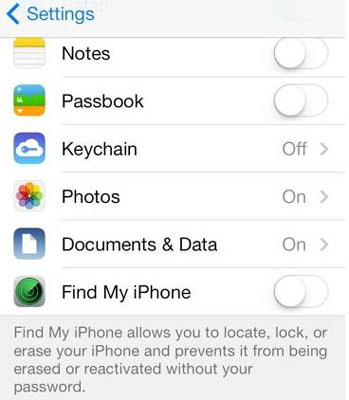
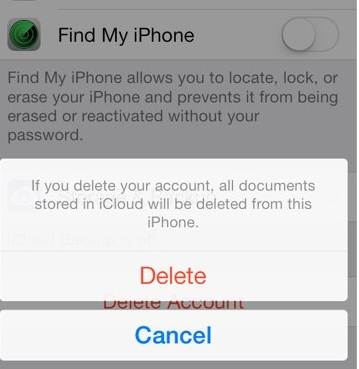
Steps to delete iCloud account on iPhone/iPad
In case you forgot iPhone password and want to remove iCloud account without password, here’s how to do it in simple steps.
- Go the Settings app and find iCloud. Tap on it to open. When prompted for a password, enter any random number. Then Tap on "Done."
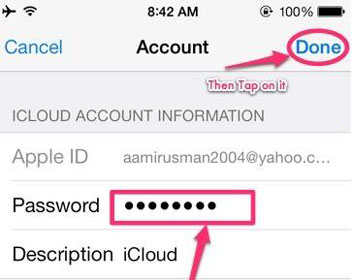
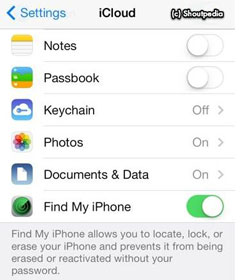
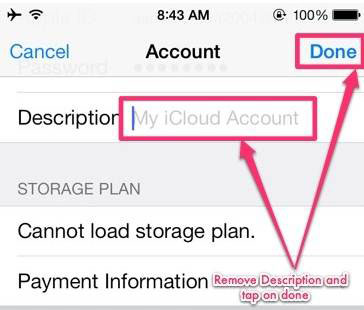
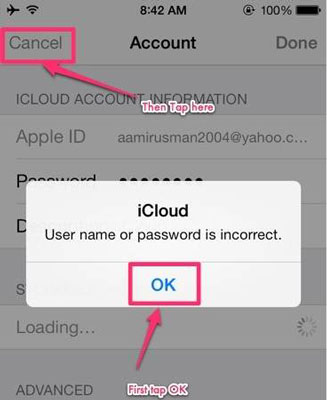
How to remove iCloud account without password on iPhone
By yuzay
Subscribe to:
Posts (Atom)


